Security products have a strange problem: their strongest features are often the most frightening ones. Military-grade encryption, zero-knowledge architecture and 256-bit keys are reassuring to experts and intimidating to everyone else.
When I designed the website for Secure Me, a free password and file manager, the challenge was not making it look secure. It was making ordinary people feel safe enough to start.
These are the principles I used.
Lead With the Benefit, Not the Algorithm
People adopt security tools for peace of mind, not for technology. So the homepage opens with what people want ("Secure your business. Elevate your productivity.") and with concrete outcomes: share passwords and files with complete control, store unlimited passwords, generate strong ones and keep them organized in folders.
The technical depth is still there, one click away on the features page, for the visitors who want to check it.
Explain Encryption in Plain Words
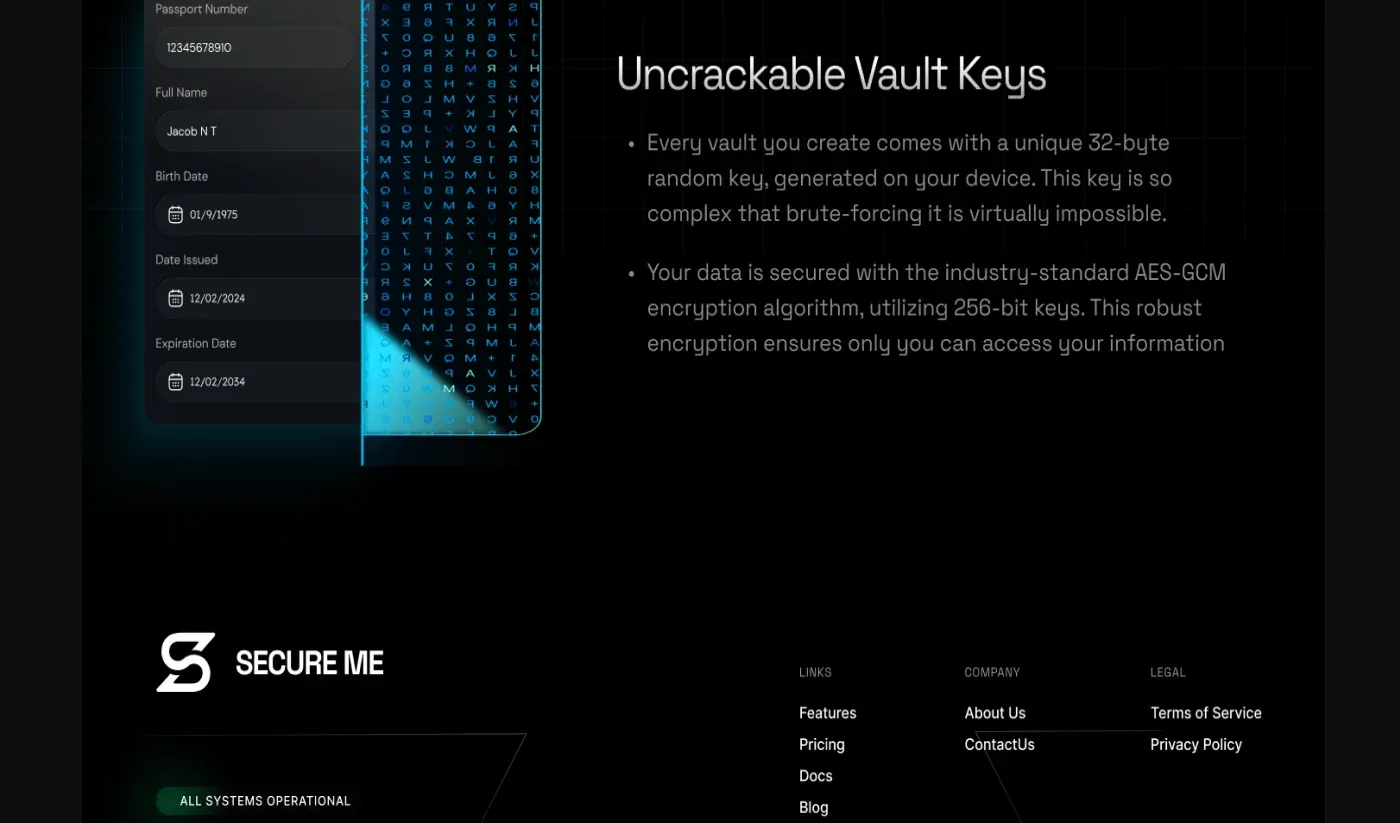
Research on password managers explains why. A usability study presented at USENIX Security found that the most serious problems came from users' inaccurate mental models of the software, and some of them led directly to security mistakes. When technical details appear, they are written as consequences rather than specifications. "Your data is never accessible to us, and only you can decrypt it" is easier to trust than a list of standards. The standards (end-to-end encryption, unique vault keys generated on your device, AES-GCM with 256-bit keys) follow as proof, not as the headline.
A Calm Interface Signals Control
Visual tone matters as much as words. A dark, calm interface with bright cyan accents and a clean typeface like Space Grotesk feels precise and in control. Warning colors, flashing badges and fear-based copy might drive clicks, but they also make people anxious about the product itself.
Nielsen Norman Group makes the same case in Plain Language Is for Everyone, Even Experts: even expert readers prefer short, scannable text, and plain writing makes organizations look more transparent and credible. In security, clarity is not just good UX. It is part of what you are selling.
Sources
- A Usability Study and Critique of Two Password Managers, USENIX Security Symposium, 2006
- Plain Language Is for Everyone, Even Experts, Nielsen Norman Group